If you’re a consultant, you probably didn’t wake up one morning excited to shop for a CRM. You got here because something broke. A follow-up slipped through the cracks. A proposal stalled and no one noticed. A client asked a question you definitely answered three months ago, but now you can’t find where.
Consulting is built on relationships, not volume. Your work lives in conversations, documents, meetings, and trust that builds over time. And that’s exactly why picking the right customer relationship management (CRM) for consultants matters so much more than most people expect.
A good CRM platform won’t just help you close more deals. It’ll help you stay organized, protect your client relationships, and make your day-to-day work feel less scattered. A bad one will feel like homework you never finish and quietly resent.
So let’s walk through what actually matters, what doesn’t, and which CRMs are worth your attention in 2026.
What makes a CRM different for consultants
Most CRMs weren’t built for consultants, and you can usually tell pretty quickly. They’re designed for fast-moving sales teams that chase lots of leads, log every activity in sales pipelines, and focus on closing deals as fast as possible. That approach works for high-volume sales — but it doesn’t reflect how consulting relationships actually work. When consultants try to force those tools to fit, things tend to feel heavier and more complicated than they need to be.
Consulting work starts with conversations, not pitches. A single intro can turn into multiple discussions, a scoped project, ongoing delivery, renewals, and follow-on work over months or even years. The relationship doesn’t stop at “closed won,” and your CRM shouldn’t either.
That’s where a CRM built for consultants feels different. Instead of obsessing over activity counts, it’s designed to support long-term relationships and real-world workflows.
A CRM for consultants should help you:
- Keep full context, so emails, notes, documents, and decisions stay connected
- Track relationships over time, not just deals moving through a funnel
- Move smoothly from sales to delivery, without losing important details
- See what’s happening now, including project status, risks, and next steps
- Spot follow-on opportunities naturally, based on real client activity
That’s why consulting CRMs focus less on flashy dashboards and more on visibility, continuity, and trust. When your CRM reflects how consulting work actually unfolds, it stops feeling like a chore — and starts feeling like a system that actually supports your business.Key benefits of a CRM for consulting and professional services firms.
What do you actually need in a CRM for consultants?
Most CRMs are built for sales teams chasing a hundred leads a month. You're not doing that. You're managing a handful of high-stakes relationships where one missed follow-up can genuinely cost you a client. The bar is different, so the checklist for finding the right CRM for consultants should be too.
1. It lives where you already work
If your business runs on Gmail, your CRM should feel like Gmail, not a separate system you guiltily log into twice a week. No manual logging. No copy-pasting. (If you're doing either of those things, the tool is already failing you.)
2. It remembers the full story, not just the deal
The relationship doesn't end when someone signs — it's just getting started. You need context that carries forward from the first "are you taking on new clients?" email all the way through delivery, renewal, and the referral two years later.
3. It bends to your process
Discovery loops back. Scope changes. The "quick project" becomes a retainer. (Sound familiar?) Rigid pipeline stages are going to fight you on all of that, so you want something that matches how your engagements actually move.
4. It follows up so you don't have to hold everything in your head
Warm prospects, active projects, a proposal sitting in a thread you haven't checked since Tuesday... keeping all of that mentally tracked is how things quietly fall through the cracks. A good CRM for consultants surfaces the right nudge at the right moment.
5. It keeps context alive after the handoff
Notes, promises, the "we'll revisit this in Q3" stuff (yes, clients remember everything you said) — it all needs to stay connected to the client record so anyone on your team can walk into a conversation prepared, not scrambling.
6. People actually use it
The fanciest CRM is worthless if your team quietly stops updating it after week two. (We've all been there.) Ease of use isn't a nice-to-have. It's the whole ballgame.
What are the must-have, key features in CRMs for consultants?
Okay so you know what you need in a CRM. Now let's talk about what that actually looks like in practice, because "supports long-term relationships" is a lot less useful than knowing which specific features do the heavy lifting in CRMs for consultants.1. Google Workspace integration
If your business runs on Gmail, Google Calendar, and Google Drive, your CRM shouldn’t feel like a separate system you have to maintain on the side. The moment you’re forwarding emails, copying notes, or reminding yourself to log things later, the tool is adding friction instead of removing it.
Strong Google Workspace integration and functionality means emails are captured automatically, meetings stay connected to client records, and files are easy to attach without extra steps. When your CRM works where you already work, it becomes much more accurate and useful.
2. Customizable pipelines and stages
Consulting deals don’t move in a straight line, and your CRM shouldn’t assume they do. Real engagements move through discovery, scoping, proposals, negotiations, delivery — and sometimes back again before they move forward. Trying to force that process into a rigid, sales-only funnel usually creates more confusion than clarity.
Customizable pipelines let you map your CRM to how your consulting work actually flows. You can see which relationships are building momentum, which ones are stalled, and which need more attention — all in one place. Over time, that visibility helps you optimize your process, spot bottlenecks earlier, and make smarter decisions without forcing every deal into the same timeline.
3. Proposal and contract tracking
If deals slow down anywhere, it’s usually around the proposal stage. Not because the client isn’t interested, but because decisions take time, priorities shift, and momentum fades when nothing is clearly moving things forward.
A consulting CRM should make it easy to see exactly where every proposal stands at a glance — what’s been sent, what’s under review, what’s been signed, and what’s been sitting too quietly for too long. When that information lives in one place, follow-ups feel timely and intentional instead of awkward or rushed.
Storing proposal documents, tracking contract status, and keeping negotiation notes tied directly to the relationship saves a huge amount of time later. You’re not digging through email threads or trying to remember what was agreed to months ago. Everything stays connected, which makes handoffs smoother, conversations clearer, and next steps much easier to manage.
4. Automated reminders and follow-ups
No consultant misses follow-ups on purpose. They miss them because there’s a lot happening at once — active clients, new opportunities, delivery work, and a dozen conversations in motion at any given time.
Automated reminders take that mental load off by making sure nothing quietly slips through the cracks. Instead of trying to remember when to check back in, your CRM prompts you at the right moment, based on what’s actually happening in the relationship. That might be following up on a proposal that’s gone quiet, checking in before a contract renewal, or reaching out a few weeks after a project wraps to see what’s next.
These reminders aren’t about nagging you to send more emails. They’re about protecting momentum and trust.
Timely follow-ups show clients you’re attentive, organized, and thinking ahead — even when you’re juggling a full workload. Over time, those small check-ins make a big difference in how client interactions and relationships feel and how often they turn into repeat work.
When reminders are built into your CRM, you don’t have to rely on sticky notes, calendar hacks, or memory alone. You can focus on doing the work, knowing your system has your back when it comes to staying responsive and consistent.
5. Project management and delivery visibility
For consultants, a CRM system needs to do more than track deals and contacts. It has to support how consulting work actually unfolds, from early conversations to active projects and long-term client relationships. When a CRM is built mainly for sales teams, it often falls short once project management and ongoing customer support become part of the picture.
A CRM built for consultants helps you optimize what happens after the deal is signed. Client history, project details, timelines, and past decisions stay connected, making it easier to manage active work without jumping between tools. That shared visibility improves project management, keeps delivery aligned, and helps teams provide better customer support without losing context.
When a CRM system supports real consulting workflows, it fades into the background. You get the clarity you need to manage relationships, projects, and follow-ups, without constant data entry or rigid processes. That’s when a CRM becomes a practical foundation for smoother delivery and long-term growth.
6. Mobile and offline access
Consulting rarely happens at a desk. It happens in meetings, on the road, between calls, and in those short windows where you’re trying to prep or follow up as quickly as possible.
That’s where mobile access really earns its keep. Being able to pull up client details before a meeting, add notes right after a call, or double-check context on the fly means you’re not relying on mental notes or telling yourself you’ll “log it later.” Everything stays fresh while the conversation is still top of mind.
Offline access might not sound exciting, but it matters more than people expect. When your connection drops in a building, on a train, or mid-travel, your updates shouldn’t disappear. A CRM software that saves changes offline and syncs them later gives you confidence that important details won’t get lost — even when your Wi-Fi does. Over time, that reliability makes it much easier to keep your CRM accurate without extra effort.
7. Granular reporting on billable hours
Most consultants don’t want flashy dashboards or endless charts. They just want a clear, honest picture of what’s actually going on.
Good reporting and time tracking shows where time is really going, how long deals tend to take from first conversation to delivery, and which types of work consistently lead to the best outcomes. Over time, that insight helps you spot patterns — what’s profitable, what’s draining, and where things tend to get stuck.
With that clarity, decisions around pricing, staffing, and growth stop being guesswork. Instead of relying on gut feel alone, you can make smarter calls backed by real data from your own consulting work.
8. Data security and compliance
If you work with sensitive client data, not every CRM is going to cut it.
Before you commit, it’s worth looking closely at which CRMs actually meet compliance standards — especially if you work with regulated industries. Things like GDPR support, access controls, encryption, and audit trails shouldn’t be vague promises or buried in fine print. They should be clear, documented, and easy to verify.
It’s not the most exciting part of choosing a CRM, but it matters. A compliant system protects your clients, keeps you out of trouble, and saves you from painful switches later as your business grows.
Get the latest from our blog every month
What are the best CRMs for consultants and consulting firms?
Here’s how the top CRM options stack up for consultants in 2026, starting with the strongest overall fit and looking at how each one supports real consulting businesses and workflows, long-term relationships, and day-to-day work.
1. Copper
Copper works especially well for consultants because it’s built around relationships, not aggressive, high-volume sales motions. It’s designed for teams that sell through conversations, trust, and long-term engagement — not cold outreach and pressure tactics. Instead of forcing you into a rigid sales process, Copper adapts to how consulting work actually happens.
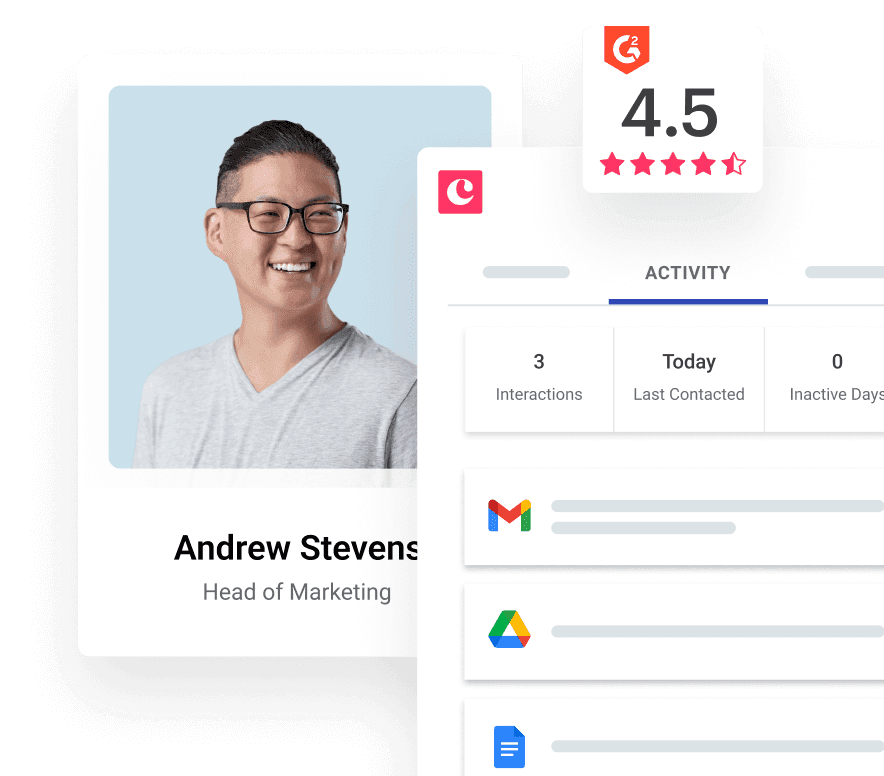
What really sets Copper apart is how deeply it integrates with Google Workspace. Because it lives inside Gmail, Calendar, and Drive, it feels less like a separate CRM you have to “keep updated” and more like a natural extension of your daily work.
Emails are logged automatically, meetings stay connected to client records, files are easy to attach, and templates help standardize common workflows without losing the personal touch.
That means your CRM stays accurate without having to constantly manually update it.
With Copper you get:
- Automatic email capture, so conversations are logged without extra effort or copy-pasting
- Customizable pipelines and pipeline management that reflect how consulting work actually moves — from discovery to delivery and beyond
- Delivery context, so notes, expectations, and project details don’t disappear after a deal closes
- A clean, intuitive interface that stays usable even as your team and client list grow
- A user-friendly CRM platform that’s quick to learn
If your work lives in Gmail and you value clarity, context, and ease of use as much as insight, Copper is a CRM that actually keeps up with consulting workflows — without slowing you down or creating busywork.
How consultants actually use Copper day-to-day
Drowning-in-Docs Dana loves her job. What she doesn't love is spending 20 minutes before a client call digging through three email threads to figure out where things left off. Here's how Copper changed that.
- Monday morning: Prepping for a client call. Dana's got a 9 a.m. check-in with a client she last spoke to three weeks ago. She opens Copper (right inside Gmail), and everything is already there: the last email thread, call notes, the proposal they approved, the Q3 budget comment the client mentioned in passing. She walks in fully prepared. The client feels like she never lost the thread. She didn't.
- Mid-week: A proposal goes quiet. It's been five days since she sent it and she hasn't heard back. In her old setup, this is where it would quietly die. With Copper, a reminder she set the moment she hit send surfaces at exactly the right time. She follows up naturally, keeps the momentum alive, and doesn't have to run on anxiety and calendar alerts to do it.
- End of project: Setting up the next one. A project wraps. But, instead of losing the thread, everything stays attached to the contact record in Copper, like delivery notes, client feedback, the "let's revisit in six months" comment from their last call. So when Dana reaches back out a few months later, she's not starting from scratch. She's continuing a conversation. That's how one-off projects turn into long-term retainers.
2. HubSpot
HubSpot can be a good fit for a consulting business that relies heavily on inbound marketing to generate leads. It offers a generous free tier and powerful marketing automation tools, which can be appealing if content, forms, and campaigns are a core part of your growth strategy.
That said, HubSpot can feel heavy for many consultants. The platform is built to do a lot — marketing, sales, support, reporting — and that power comes with complexity. If you don’t need advanced campaigns or detailed lifecycle automation, you may find yourself spending more time configuring the system than actually using it day to day.
HubSpot works best when you have clear processes, consistent lead volume, and someone on the team who owns operations. For smaller consulting teams or relationship-driven firms, it can feel like more CRM than you really need.
Key strengths include:
- Strong email marketing and automation capabilities
- Forms, analytics, and lead tracking tied directly to your website
- A large ecosystem of integrations and add-ons
- The ability to scale across teams with dedicated ops or marketing support
3. Pipedrive
Pipedrive is designed around sales visibility and works best for consultants with shorter engagement cycles or more transactional work. It’s very clear, very visual, and very focused on moving deals forward.
If you like seeing everything laid out in a simple pipeline and want to know exactly where each opportunity stands, Pipedrive does that well. It’s easy to set up, easy to understand, and doesn’t require much training to get value out of it.
Where Pipedrive can fall short is after the deal closes. It’s built to help you win work, not necessarily manage long-term relationships, delivery context, or follow-on opportunities over time.
Key strengths include:
- Clean, visual pipelines that are easy to manage at a glance
- Straightforward deal tracking and forecasting
- Lightweight automations for reminders and follow-ups
- Fast setup with minimal onboarding required
4. Streak
Streak operates directly inside Gmail, which makes it appealing for consultants who want something extremely lightweight. Because it lives in your inbox, there’s almost no learning curve, and getting started is easy.
For basic deal tracking or simple relationship management, Streak can work well. You can add notes, track contacts, and manage simple pipelines without leaving Gmail.
However, those same strengths become limitations as your needs grow. Reporting is basic, automation is limited, and collaboration across larger teams can feel constrained. Compared to deeper Google Workspace integrations like Copper, Streak is best when simplicity matters more than scalability.
Key strengths include:
- Gmail-native experience with minimal setup
- Simple pipeline and contact tracking
- Lightweight notes and reminders
- Best suited for solo consultants or very small teams
Related: 4 Streak CRM Alternatives
5. Dubsado
Dubsado is a strong option for consultants who care most about the operational side of their business. If proposals, contracts, invoicing, and payments are your biggest pain points, Dubsado does a great job smoothing those workflows out.
It’s especially popular with solo consultants and boutique firms who want a polished client experience from inquiry to payment. Client intake forms, automated workflows, and billing tools are where Dubsado really shines.
As a CRM, though, it’s less focused on pipeline visibility and long-term relationship tracking. It works best once a client has already said yes, rather than as a tool for managing ongoing relationships at scale.
Key strengths include:
- Robust proposal, contract, and invoicing tools
- Built-in client intake forms and workflows
- Automated payment collection and scheduling
- A strong fit for solo consultants and small firms
6. GoHighLevel
GoHighLevel is an all-in-one platform built around marketing funnels, automation, and lead generation. It’s powerful and flexible, especially for teams running high-volume campaigns across multiple channels.
Because of that focus, it’s often a better fit for agencies than for traditional consultants. If your business depends on funnels, SMS campaigns, and constant lead flow, GoHighLevel offers a lot in one place.
For consultants focused on delivery, long-term clients, and relationship-driven growth, that level of marketing complexity can feel unnecessary. It’s a lot of tool if you’re not actively using the funnel and automation features.
Key strengths include:
- Advanced marketing and funnel automation
- Landing pages, SMS, and campaign tools
- Centralized lead and contact management
- Best for teams focused on volume-driven growth
Choose the right CRM for consultants to win more clients and streamline delivery
Choosing the right CRM for consultants doesn’t have to turn into a months-long project. You don’t need a huge implementation plan, a 40-page onboarding doc, or a complicated rollout to get started.
What you do need is clarity around how you actually work and a CRM that supports that instead of fighting it.
Start by narrowing your list to one or two CRM platforms that make sense for your consulting business:
- Run a real trial and not just a surface-level demo
- Set up pipelines that match your consulting workflow, automate a few follow-ups
- Use it during actual client conversations
The right CRM should make your day feel smoother and more organized, and not like it’s another system you have to manage.
As you test different CRM tools, pay attention to the everyday moments. Can you quickly find past conversations before a meeting? Does context carry over from sales into delivery? Does the CRM help you stay on top of relationships without constant manual updates? Those are the details that separate a CRM that looks good on paper from one that actually works for consultants.
And if you work in Google Workspace, especially, and want a CRM that fits consulting workflows without forcing complexity, you can try Copper free for 14 days and see how it handles real client interactions and client relationships from day one.